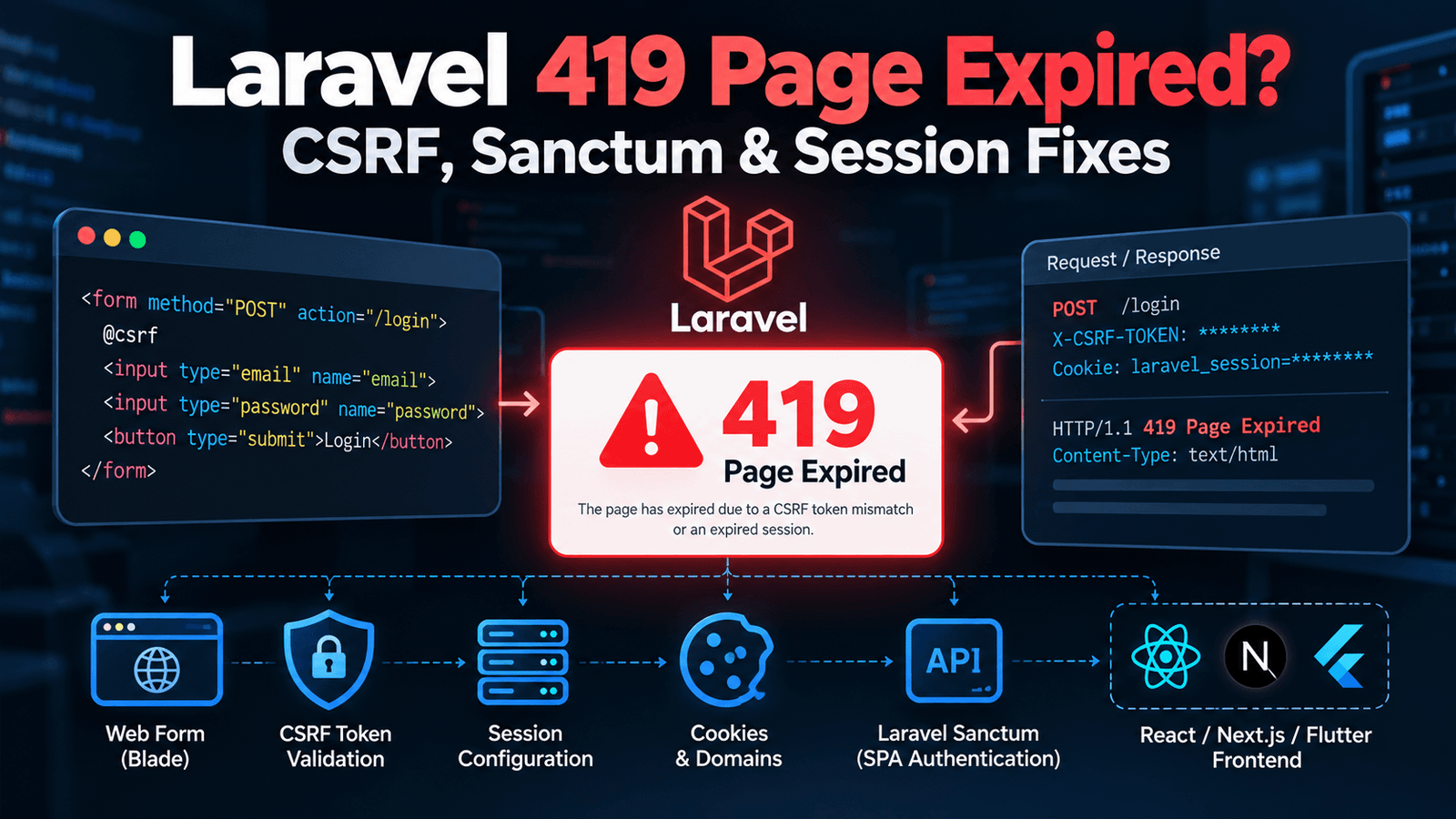
A Laravel application may work perfectly through normal web pages but suddenly return:
419 Page Expiredwhen a form is submitted, an AJAX request is made, or a React, Vue, Next.js, Flutter, or other frontend connects to the Laravel backend.
The error becomes even more confusing when login works on localhost but fails after deployment, or when an API request works in Postman but returns 419 from the browser.
A Laravel 419 response is usually related to session or CSRF protection, but simply disabling CSRF middleware is rarely the correct solution.
The real issue may involve:
- Missing CSRF tokens
- Expired sessions
- Laravel Sanctum configuration
- Incorrect frontend/backend domains
- Cookie settings
- HTTPS configuration
- CORS
- Session storage
- Cached configuration
- Reverse proxies
- Requests being placed in the wrong route file
This guide explains how to systematically diagnose Laravel 419 errors without weakening application security.
What Does Laravel 419 Page Expired Mean?
419 Page Expired is commonly associated with Laravel’s CSRF protection.
CSRF stands for Cross-Site Request Forgery.
Laravel protects state-changing web requests so another website cannot silently make authenticated requests on behalf of a logged-in user.
A typical protected request works conceptually like this:
User opens Laravel page
        ↓
Laravel creates session
        ↓
CSRF token generated
        ↓
Form sends token
        ↓
Laravel compares token with session
        ↓
Tokens match
        ↓
Request continues
If the token is missing or does not match the user’s session:
Request
   ↓
CSRF validation
   ↓
Token missing / invalid
   ↓
419 Page Expired
However, the token itself may not be the actual root cause.
If Laravel cannot retrieve the correct session, a perfectly valid token can still appear invalid.
First Determine Which Type of Request Is Failing
Before changing middleware, identify where the 419 occurs.
Is it:
Traditional Blade formor:
JavaScript request from Laravel pageor:
React/Vue SPA using Laravel Sanctumor:
External/mobile API requestThese scenarios should not necessarily use the same authentication architecture.
For example:
Blade form
    ↓
Session + CSRF


First-party SPA
    ↓
Sanctum stateful authentication
    ↓
Session + CSRF


Mobile app
    ↓
API token
If a Flutter application is calling an endpoint protected like a browser web form, the underlying problem may be route/authentication design rather than a missing _token.
Check Whether the Route Is in web.php or api.php
Laravel route placement matters.
Routes in:
routes/web.phptypically use Laravel’s web middleware stack, including session-related functionality and CSRF protection.
API routes are intended for API-style requests and generally follow a different middleware model.
For example:
Route::post('/profile', [ProfileController::class, 'update']);inside web.php may expect a valid web session and CSRF token.
An external mobile application should not normally solve that by scraping a CSRF token from a Laravel page.
Instead, decide whether the endpoint is genuinely a web route or an API endpoint.
A useful architectural question is:
Who is supposed to call this route?
That answer should influence its authentication mechanism.
Fix Laravel 419 Errors in Blade Forms
Laravel’s Blade forms should include a CSRF token.
For example:
<form method="POST" action="{{ route('profile.update') }}">
    @csrf

    <input
        type="text"
        name="name"
        value="{{ old('name', auth()->user()->name) }}"
    >

    <button type="submit">
        Save Profile
    </button>
</form>
The @csrf directive generates the hidden CSRF field Laravel expects.
The rendered HTML contains a value conceptually similar to:
<input type="hidden" name="_token" value="...">If a normal Laravel form returns 419, checking for @csrf should be one of the first steps.
Don’t Forget CSRF When Using PUT, PATCH or DELETE
A Laravel form may update a resource using:
<form method="POST" action="{{ route('users.update', $user) }}">
    @csrf
    @method('PUT')

    <!-- fields -->
</form>
@method('PUT') changes the intended HTTP method.
It does not replace @csrf.
You generally need both.
Similarly:
@csrf
@method('DELETE')
may be used for an appropriate delete form.
If the token is missing, the request can fail before your controller logic runs.
Check AJAX Requests From Blade Pages
Suppose a JavaScript request is sent from a Laravel-rendered page:
fetch('/profile', {
    method: 'POST',
    headers: {
        'Content-Type': 'application/json'
    },
    body: JSON.stringify({
        name: 'Example'
    })
});
The request may need Laravel’s expected CSRF information.
A common approach is to expose the token in the page:
<meta name="csrf-token" content="{{ csrf_token() }}">Then read it:
const token = document
    .querySelector('meta[name="csrf-token"]')
    .getAttribute('content');

fetch('/profile', {
    method: 'POST',
    headers: {
        'Content-Type': 'application/json',
        'X-CSRF-TOKEN': token
    },
    body: JSON.stringify({
        name: 'Example'
    })
});
If AJAX requests worked previously and suddenly return 419, also check whether the browser still has the correct Laravel session cookie.
Understand Why a Valid CSRF Token Can Still Fail
Consider this sequence:
Page loaded
    ↓
Session A created
    ↓
CSRF token belongs to Session A
    ↓
Form submitted
    ↓
Laravel sees Session B
    ↓
Token comparison fails
    ↓
419
The form contains a valid token.
The problem is that Laravel lost or changed the session.
This is why adding @csrf repeatedly will not solve every 419.
You also need to investigate session persistence.
Check Laravel Session Configuration
Review the relevant environment configuration.
Depending on your Laravel version and application setup, you may have values such as:
SESSION_DRIVER=database
SESSION_LIFETIME=120
SESSION_DOMAIN=
SESSION_SECURE_COOKIE=true
SESSION_SAME_SITE=lax
The correct values depend on your architecture.
A bad session configuration can cause Laravel to create a new session for requests that should belong to the existing one.
Symptoms can include:
- Login succeeds and immediately logs out
- Forms randomly return 419
- Authentication disappears after redirect
- SPA login succeeds but subsequent API request is unauthenticated
Treat these symptoms as potential session-cookie problems, not just CSRF problems.
Check Whether the Session Driver Works
Laravel supports different session storage mechanisms.
Your application may use a driver such as:
file
database
redis
If you use the database session driver, ensure the required session table exists and the application can access it.
If sessions cannot be persisted:
Request 1
   ↓
Create session
   ↓
Storage fails

Request 2
   ↓
Session missing
   ↓
CSRF mismatch
For file sessions, also verify that the application can write to the required storage directories.
A permissions problem can therefore surface as a 419 error even though your form contains @csrf.
Clear Cached Laravel Configuration After .env Changes
Suppose you change:
SESSION_DOMAIN
SESSION_SECURE_COOKIE
APP_URL
but Laravel continues behaving as before.
Cached configuration may still contain the old values.
Depending on your deployment workflow, commands such as these may be appropriate:
php artisan optimize:clearThen rebuild the caches your production deployment intentionally uses.
For example:
php artisan config:cacheDo not repeatedly clear production caches without understanding your deployment process, but remember that editing .env does not guarantee a long-running/cached application immediately uses the new configuration.
Check APP_URL
Your production application should have the correct application URL.
For example:
APP_URL=https://example.comAvoid leaving a production deployment configured as:
APP_URL=http://localhostor using an old staging domain.
APP_URL alone does not determine every cookie/authentication behavior, but incorrect environment configuration is a strong warning that the production setup needs review.
Check HTTP and HTTPS
Suppose the application is configured to use secure cookies:
SESSION_SECURE_COOKIE=truebut part of your application is being accessed over plain HTTP.
The browser may not send the secure cookie.
The flow becomes:
HTTPS login
   ↓
Secure session cookie
   ↓
HTTP request
   ↓
Cookie not sent
   ↓
Laravel sees different/no session
   ↓
419
Production Laravel applications handling authentication should use HTTPS consistently.
Also verify that Laravel correctly detects HTTPS when running behind a load balancer, CDN, or reverse proxy.
Check www and Non-www Domains
These may look like the same website to a user:
https://example.comand:
https://www.example.combut cookie/domain configuration matters.
If login occurs on one hostname and requests are later made to another, session behavior can break.
Avoid unnecessary domain switching:
Login:
www.example.com

POST request:
example.com
Choose a canonical hostname and configure redirects, application URLs, cookies, and frontend requests consistently.
Laravel Sanctum 419 Errors
Laravel Sanctum is a common source of confusion because it supports different authentication use cases.
For a first-party SPA using cookie-based Sanctum authentication, the flow is conceptually:
SPA
 ↓
Request CSRF cookie
 ↓
Laravel sets CSRF/session-related cookies
 ↓
SPA submits login
 ↓
Session authentication
 ↓
Authenticated API requests
If the frontend skips the CSRF-cookie step or cookies are not sent correctly, login can return 419.
Request the Sanctum CSRF Cookie First
A first-party SPA using Sanctum’s stateful authentication typically obtains CSRF cookie information before submitting login.
Conceptually:
GET /sanctum/csrf-cookie
        ↓
Cookies established
        ↓
POST /login
For an Axios-based frontend, your setup may resemble:
import axios from 'axios';

axios.defaults.withCredentials = true;

await axios.get(
    'https://api.example.com/sanctum/csrf-cookie'
);

await axios.post(
    'https://api.example.com/login',
    {
        email,
        password
    }
);
The exact setup depends on your Laravel version, frontend domain, and CORS/cookie configuration.
Do not blindly copy configuration from an unrelated project because Sanctum is sensitive to whether your frontend is genuinely first-party/stateful.
Check Sanctum Stateful Domains
For stateful SPA authentication, Laravel needs to know which frontend domains should be treated as stateful.
A local setup might involve hosts such as:
localhost:3000
127.0.0.1:3000
Production may instead use:
app.example.comwhile Laravel runs at:
api.example.comConceptually:
app.example.com
       ↓
Browser credentials
       ↓
api.example.com
       ↓
Laravel Sanctum
If the frontend domain is not configured correctly for the application’s Sanctum setup, Laravel may not treat the request as expected.
Check the Sanctum configuration appropriate to the Laravel version you are running rather than relying on an old tutorial.
Check CORS Credentials
For cookie-based cross-origin authentication, the browser must be allowed to send credentials.
Your frontend client may need credentials enabled.
With Axios:
axios.defaults.withCredentials = true;With Fetch:
fetch('https://api.example.com/profile', {
    credentials: 'include'
});
Your Laravel CORS configuration must also allow the intended frontend origin and credentials.
Do not combine authenticated cookies with a careless:
Access-Control-Allow-Origin: *configuration.
Explicitly allow the frontend origins your application actually uses.
CORS and CSRF Are Not the Same Thing
This distinction is important.
CORS controls which browser origins can interact with server resources.
CSRF protection protects authenticated state-changing requests from forged requests.
A request can have correct CORS configuration and still fail CSRF validation.
Likewise, a valid CSRF token does not automatically make a cross-origin request acceptable to the browser.
Debug them separately:
Browser request
      ↓
CORS allowed?
      ↓
Cookies sent?
      ↓
Session found?
      ↓
CSRF valid?
      ↓
Authentication valid?
      ↓
Controller
Changing CORS settings until a 419 disappears can accidentally create a security problem without fixing the real session issue.
Check SameSite Cookie Configuration
Modern browsers apply SameSite rules to cookies.
This matters when your frontend and backend use different domains or site contexts.
For example:
Frontend:
https://app.example.com

Backend:
https://api.example.com
may behave differently from:
Frontend:
https://frontend-example.com

Backend:
https://api-anotherdomain.com
Do not change SameSite settings randomly.
Determine whether your architecture is:
- Same origin
- Same site with subdomains
- Truly cross-site
Then configure cookies appropriately and test in real browsers.
Why Laravel Login Works in Postman but Returns 419 in React
This is a useful diagnostic clue.
Postman is not subject to browser CORS rules in the same way and may handle cookies differently from your frontend application.
If:
Postman → works
Browser → 419
investigate:
- CSRF flow
- Cookies
withCredentials- CORS
- frontend/backend domains
- SameSite
- secure-cookie settings
Do not conclude that the Laravel endpoint is correct simply because Postman succeeds.
Browser authentication has additional constraints.
Why Laravel Works on Localhost but Returns 419 in Production
This commonly happens because production introduces infrastructure that did not exist locally.
For example:
Local:
Browser → Laravel
versus:
Production:
Browser
   ↓
Cloudflare
   ↓
Load Balancer / Proxy
   ↓
Nginx / Apache
   ↓
Laravel
Production also introduces:
- HTTPS
- Real domains
- Subdomains
- Different session storage
- Multiple application instances
- Cached configuration
- CDN/proxy headers
Compare environments systematically instead of modifying controller code that already works locally.
Check Multiple Application Servers
A production application may run on more than one server.
Imagine:
Request 1
   ↓
Server A
   ↓
File session stored on Server A


Request 2
   ↓
Server B
   ↓
Session not found
   ↓
419
This can happen when using local file sessions behind a load balancer without suitable session architecture.
For multi-instance applications, use an appropriate shared session store or infrastructure strategy.
A 419 that appears randomly under production traffic can be a clue that session state is not consistently available across instances.
Check Session Expiration
Sometimes 419 Page Expired means exactly what it says.
A user may leave a form open for a long time.
Their session expires.
They then click Submit.
The old page contains a token associated with an expired session.
For admin or long forms, consider the user experience when sessions expire.
Do not “solve” normal expiration by making sessions effectively permanent without considering security.
Instead, where appropriate:
- Warn users before expiration
- Preserve unsaved form data
- Provide a clear re-authentication flow
- Avoid losing large form submissions
Check Browser Cookies
Browser developer tools can quickly reveal session problems.
Open the browser’s developer tools and inspect cookies.
Look for Laravel’s configured session cookie and relevant XSRF cookie when using Sanctum.
Check:
- Is the cookie present?
- Which domain owns it?
- Is it Secure?
- What is its SameSite setting?
- Is it being sent with the failing request?
- Does it change unexpectedly between requests?
Then inspect the Network tab.
A 419 investigation becomes much easier when you can see:
Request URL
Origin
Cookie
X-XSRF-TOKEN / X-CSRF-TOKEN
Response
Do not paste real session cookies or CSRF tokens into public bug reports.
Don’t Disable CSRF Protection Globally
A tempting fix is to remove CSRF middleware or exclude large portions of the application.
For example, treating every route as exempt simply because an external integration needs access defeats the purpose of the protection.
Instead, ask whether that route should use CSRF at all.
For example:
Browser session route
      ↓
CSRF protection appropriate
while:
External API
      ↓
Token-based API authentication
      ↓
Different security model
Design the endpoint for its actual consumer.
Do not weaken every web route because one API client was built incorrectly.
Be Careful With CSRF Exclusions
There are legitimate cases where certain inbound requests do not use browser CSRF protection, such as appropriately secured webhooks.
For example:
Payment provider
      ↓
Webhook endpoint
      ↓
Signature verification
      ↓
Business logic
The webhook cannot obtain a browser CSRF token.
But simply excluding:
/payment/webhookfrom CSRF without implementing the payment provider’s signature verification would be insecure.
If a route is exempted from CSRF, it still needs the correct security mechanism for that route.
Flutter Apps Should Not Use Browser CSRF Authentication
A native Flutter mobile application is not a Laravel Blade form.
A common mistake is:
Flutter
  ↓
POST /login from web.php
  ↓
Laravel expects CSRF/session browser flow
  ↓
419
Then developers try to fetch and store CSRF tokens inside Flutter.
For most mobile API architectures, Laravel should instead expose an authenticated API designed for mobile clients.
Conceptually:
Flutter
   ↓
API login
   ↓
Token issued
   ↓
Authorization header
   ↓
Protected API routes
Laravel Sanctum can support API-token use cases as well as first-party SPA authentication, but the two flows should not be confused.
Choose authentication based on the client.
Next.js Applications Need the Same Architectural Decision
A Next.js application can operate as:
- Browser-only frontend
- First-party SPA
- Server-rendered application
- Backend-for-frontend layer
Those architectures may interact with Laravel differently.
For example:
Browser
   ↓
Next.js server
   ↓
Laravel API
can avoid exposing certain backend credentials or authentication details to the browser.
Whereas a first-party browser SPA using Laravel Sanctum may intentionally use cookie-based stateful authentication.
Define the architecture first.
Then configure CSRF, cookies, and authentication to match it.
Check Reverse Proxy Configuration
When Laravel sits behind a proxy, it needs to correctly understand the original request.
For example:
Browser HTTPS
      ↓
Proxy
      ↓
Laravel receives internal HTTP connection
If proxy/trusted-proxy configuration is wrong, Laravel may generate incorrect URLs or misunderstand whether the original request was secure.
This can contribute to cookie and redirect problems.
If 419 errors only appear after adding:
- Cloudflare
- AWS load balancer
- Reverse proxy
- Container ingress
- Hosting proxy
review the proxy configuration as part of the investigation.
Laravel 419 Troubleshooting Checklist
When Laravel returns 419 Page Expired, check the following in order:
- Identify whether the request is Blade, AJAX, SPA, mobile, or external API.
- Confirm whether the route belongs in
web.phpor an API route. - Check that Blade forms include
@csrf. - Verify AJAX requests send the expected CSRF token.
- Check whether the browser has a Laravel session cookie.
- Confirm the session cookie is sent with the failing request.
- Verify the session driver is functioning.
- Check storage/database permissions for sessions.
- Review
SESSION_DOMAIN. - Review
SESSION_SECURE_COOKIE. - Review SameSite configuration.
- Verify
APP_URL. - Use HTTPS consistently in production.
- Check
wwwversus non-wwwhostnames. - Clear/rebuild Laravel configuration cache after relevant environment changes.
- For Sanctum SPA authentication, request the CSRF cookie first.
- Check Sanctum stateful-domain configuration.
- Enable browser credentials where required.
- Check CORS separately from CSRF.
- Compare browser behavior with Postman/curl.
- Check whether production uses multiple application servers.
- Review reverse-proxy configuration.
- Test whether the session is expiring normally.
- Do not globally disable CSRF middleware.
Work through the request path rather than changing several settings simultaneously.
Best Practices to Prevent Laravel 419 Errors
Choose Authentication Based on the Client
Do not force every client into Laravel’s browser-session flow.
A useful starting model is:
Blade
  → Session + CSRF

First-party SPA
  → Sanctum stateful authentication

Mobile application
  → API token authentication

Third-party integration
  → Purpose-built API credentials

Webhook
  → Provider signature verification
The exact implementation depends on the application, but separating these use cases prevents many authentication problems.
Keep Frontend and Backend Domains Consistent
Decide early whether the application uses:
example.com
api.example.com
app.example.com
and configure sessions, Sanctum, CORS, HTTPS, and cookies accordingly.
Changing domain architecture late in development often exposes assumptions hidden in local configuration.
Test Authentication in Production-Like Environments
Do not test authentication only using:
localhostBefore launch, test:
- HTTPS
- Real domains/subdomains
- Production cookie rules
- CORS
- Session persistence
- Proxy/load-balancer behavior
Don’t Use CSRF Exclusions as a Shortcut
If a client cannot satisfy CSRF requirements, first determine whether it should be using session-based web authentication at all.
Monitor Session Infrastructure
For production applications, session storage is infrastructure.
Database, Redis, or other session stores need appropriate:
- Availability
- Permissions
- Cleanup
- Multi-server accessibility
- Monitoring
Preserve Security While Debugging
Avoid fixes such as:
Disable CSRF everywhere
Allow every CORS origin
Turn off secure cookies
Make sessions permanent
A disappearing error does not necessarily mean the application is correctly configured.
When Should You Get Laravel Development Help?
A 419 problem usually needs deeper investigation when:
- Laravel Sanctum works locally but fails in production
- Login succeeds but authentication immediately disappears
- React or Next.js cannot maintain a Laravel session
- Multiple subdomains are involved
- Flutter is using routes designed for browser authentication
- The application runs behind Cloudflare or a load balancer
- 419 errors happen randomly rather than consistently
- The application uses multiple servers
- Session storage behaves inconsistently
- Changing CORS settings has not solved the problem
- Authentication architecture has grown complicated across web and mobile applications
For a production application, the goal is not simply to remove the 419 response.
The goal is to make sure sessions, CSRF protection, cookies, API authentication, and client architecture work together securely.
Need Expert Laravel Help?
Having Trouble With a Laravel Application?
KDP Infusion can help diagnose Laravel errors, improve application performance and develop reliable custom Laravel solutions.
- Laravel error troubleshooting
- REST API development and debugging
- Database and performance optimization
- Deployment and server troubleshooting
- Custom Laravel application development
Frequently Asked Questions
Laravel commonly returns 419 when CSRF validation fails. This can happen because the CSRF token is missing or invalid, but it can also happen when Laravel cannot retrieve the session associated with the token.
For a normal Blade form, first confirm that @csrf is inside the form. If it is already present, investigate whether the Laravel session cookie and session storage are working correctly.
For stateful SPA authentication, common causes include not obtaining the CSRF cookie before login, incorrect stateful-domain configuration, cookies not being sent, CORS credential configuration, or incorrect cookie domain/SameSite settings.
Browser requests involve cookie, CORS, SameSite, origin, and CSRF behavior that may not apply in the same way to Postman. Inspect the browser Network tab and verify the complete cookie/CSRF flow.
Production may use HTTPS, different domains, proxies, cached configuration, different session storage, or multiple servers. Compare session and cookie behavior between the two environments.
Not globally. CSRF protects session-authenticated browser requests. If an external API or mobile client cannot use that model, design the endpoint with an appropriate API authentication mechanism instead.
No. @csrf fixes the common case where a Blade form lacks a token. If Laravel cannot recover the corresponding session, the token can still fail validation.
Yes. A form left open longer than the session lifetime may submit a token associated with an expired session.
Infrastructure changes involving proxies or CDNs can contribute to session, HTTPS, cookie, or forwarded-header problems. If errors begin after introducing a proxy, include that layer in the investigation.
If the application uses database-backed sessions and cannot read or write session records correctly, session loss can ultimately lead to CSRF validation failures.
A native mobile app normally should use an API authentication architecture designed for mobile clients rather than imitating a Blade browser session solely to satisfy CSRF middleware.
A 401 generally represents an authentication failure, while Laravel's 419 is commonly associated with an expired/mismatched session or CSRF validation failure. The exact application response should still be inspected.
Final Thoughts
A Laravel 419 error is best understood as part of a request lifecycle:
Client
   ↓
Domain / HTTPS
   ↓
Cookies
   ↓
Laravel session
   ↓
CSRF validation
   ↓
Authentication
   ↓
Route
   ↓
Controller
If you only look at the CSRF token, you may miss the actual problem.
A valid token is useful only when Laravel can associate the request with the correct session.
For modern Laravel applications that connect to React, Next.js, Flutter, or other clients, the bigger question is often architectural: should that client use browser session authentication at all?
Once that decision is correct, CSRF, Sanctum, CORS, cookies, and session configuration become much easier to reason about.
If your Laravel application is returning 419 errors, losing sessions after login, or having authentication problems across web, SPA, mobile, or API clients, KDP Infusion can help troubleshoot the complete authentication flow rather than masking the error with insecure configuration changes.